
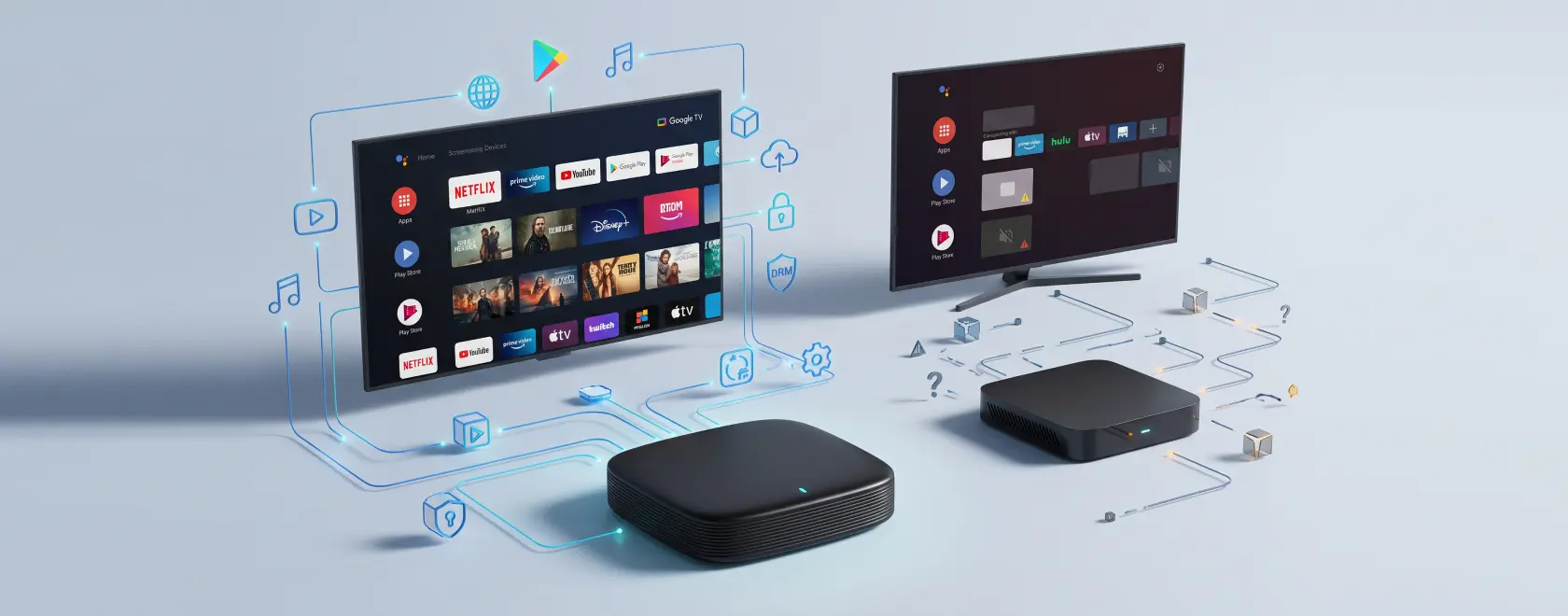
Two Android TV boxes can look almost identical on paper. Both may advertise 4K output, Wi-Fi, Bluetooth, a powerful processor, and access to popular streaming apps. Yet after connecting them to a TV, the user experience can be very different. One device works smoothly with Google services and licensed streaming platforms, while another requires manually installed applications, offers limited video quality, or displays compatibility warnings.
The reason often lies in certification. For buyers choosing an Android TV box, understanding the difference between certified and uncertified devices is more useful than comparing processor names or RAM alone.
What Does a Certified Android TV Box Mean?
The term “certified” can refer to several different approval mechanisms. One of the most important is Google Play Protect certification.
According to Google, Play Protect certified devices have passed Android compatibility testing and are authorized to include licensed Google applications such as the Google Play Store. Google also warns that devices without certification may not work correctly with Google apps and services and may not reliably receive system or application updates.
For a TV device, certification therefore indicates that the manufacturer has implemented Android according to defined compatibility requirements rather than simply installing a modified Android build on generic hardware.
This distinction is important because not every device advertised as an “Android box” is actually running an officially supported Android TV or Google TV environment. Some low-cost media players use versions of Android originally intended for tablets or smartphones and adapt them for operation with a remote control.
The interface may look similar, but the underlying ecosystem can be very different.
Google Play Store and App Compatibility
One of the most visible advantages of a certified Android TV box is predictable access to the TV version of Google Play.
Applications distributed for Android TV are designed for a large screen and remote-control navigation. Their interface, menus, playback controls, and installation requirements can differ from the smartphone versions of the same services.
On uncertified boxes, a Play Store icon may still be present, but this does not necessarily mean that the device is officially licensed by Google. Google explicitly states that Google applications installed on devices without Play Protect certification may be unlicensed and may not function correctly.
As a result, users of uncertified Android boxes sometimes need to sideload APK files manually. This may work for certain applications, but it introduces additional maintenance. An application that works today may stop working after an update, display an interface designed for touchscreens, or become incompatible with the device firmware.
For a media player intended for everyday household use, predictable application support is usually more valuable than the ability to install almost any APK manually.
Certification Matters for Streaming Quality
Video resolution is another area where specifications can be misleading.
A box capable of outputting a 3840 × 2160 signal through HDMI is not automatically able to stream every protected service in 4K. Commercial streaming platforms use DRM systems to control how copyrighted video is decoded and displayed.
Widevine is one of the most important DRM technologies in the Android ecosystem. Netflix, for example, states that Android devices require Widevine L1 to play protected Netflix video in HD. Devices operating at Widevine L3 are limited to SD for Netflix.
This means that a product specification saying “4K Android TV box” describes the hardware’s potential output resolution, not necessarily the resolution available from Netflix or another subscription service.
There is another important detail: Google certification and streaming-service certification should not be treated as the same thing. A device may have Google certification and Widevine L1 but still need separate approval from a streaming provider for particular functionality, including HD, 4K, HDR, or other premium playback features.
Before buying a box specifically for Netflix, Prime Video, or another service, users should therefore check support for the particular device model rather than relying only on the Android version or 4K logo.
Updates and Long-Term Compatibility
Android TV boxes are usually used for several years, so software support can matter as much as hardware performance.
Google notes that uncertified devices may not receive Android system updates or application updates correctly. This becomes increasingly important as streaming applications raise their operating-system and security requirements.
The Google Play ecosystem itself also evolves. For example, Google periodically increases the Android API levels that Android TV applications must target to remain available through Google Play. These requirements encourage application developers to support newer security and platform standards.
A certified device from a manufacturer with an established software-support process therefore offers a more predictable environment. Certification does not guarantee that a product will receive updates indefinitely, but it removes one major source of uncertainty: whether the Android implementation complies with Google’s compatibility requirements in the first place.
Security Is More Than an Antivirus Feature
A TV box may contain more personal information than it appears to. Users sign in to Google accounts, streaming platforms, YouTube, IPTV applications, and sometimes payment-related services.
Google Play Protect scans applications for potentially harmful behavior, including apps installed from outside Google Play, and can warn users, disable dangerous software, or remove detected harmful applications.
Google also cautions that devices without Play Protect certification may not be secure and that user data on them may not be backed up reliably.
This does not mean that every uncertified Android box contains malware. Nor does certification make any device completely immune to security problems. The practical difference is that a certified device participates in a defined security and compatibility ecosystem, while an uncertified model places more responsibility on the manufacturer and ultimately on the user.
Are Uncertified Android Boxes Always Bad?
Not necessarily.
An uncertified Android device can be suitable for specialized applications where Google services are unnecessary. Some users deliberately choose open or highly customizable platforms for local media playback, experimental software, development, or applications installed outside Google Play.
The problem appears when an uncertified box is marketed as an equivalent replacement for a fully certified consumer streaming device.
For someone who simply wants to connect a media player, sign in to familiar services, install applications from the TV Play Store, and watch protected content at the supported resolution, certification substantially reduces compatibility risks.
A cheaper uncertified device may therefore require more technical knowledge and more manual configuration during its lifetime. The initial price difference should be considered alongside the time spent searching for APK files, troubleshooting updates, or solving playback limitations.
How to Check an Android TV Box Before Buying
The safest approach is to evaluate the exact model rather than trusting general phrases such as “Android certified,” “supports Google Play,” or “4K streaming.”
Google provides a simple way to check Play Protect status on a device: open Google Play Store, go to the profile menu, select Settings, then About, and find the Play Protect certification status. A correctly certified device should be shown as certified.
When buying online, also check whether the manufacturer clearly identifies the operating system as Android TV or Google TV, specifies DRM support, provides firmware updates, and lists compatibility with the streaming services you intend to use.
For services such as Netflix, verify support for the particular model separately. Netflix maintains information about supported televisions, streaming devices, and media players, and support can differ between manufacturers and product generations.
Certified or Uncertified Android TV Box: Which Should You Choose?
For most home users, a certified Android TV or Google TV device is the safer choice. Certification provides a more predictable Google Play experience, better compatibility with TV applications, access to Google’s security ecosystem, and a clearer foundation for future software support.
An uncertified Android box can still be useful when flexibility and manual configuration are more important than mainstream streaming compatibility. However, its specifications should not be interpreted in the same way as those of a certified device.
The key rule is simple: do not judge an Android TV box only by processor, RAM, or a 4K label. Check certification, DRM support, software updates, and compatibility with the streaming services you actually plan to use. Those factors determine the real everyday experience far more reliably than impressive hardware numbers alone.
