
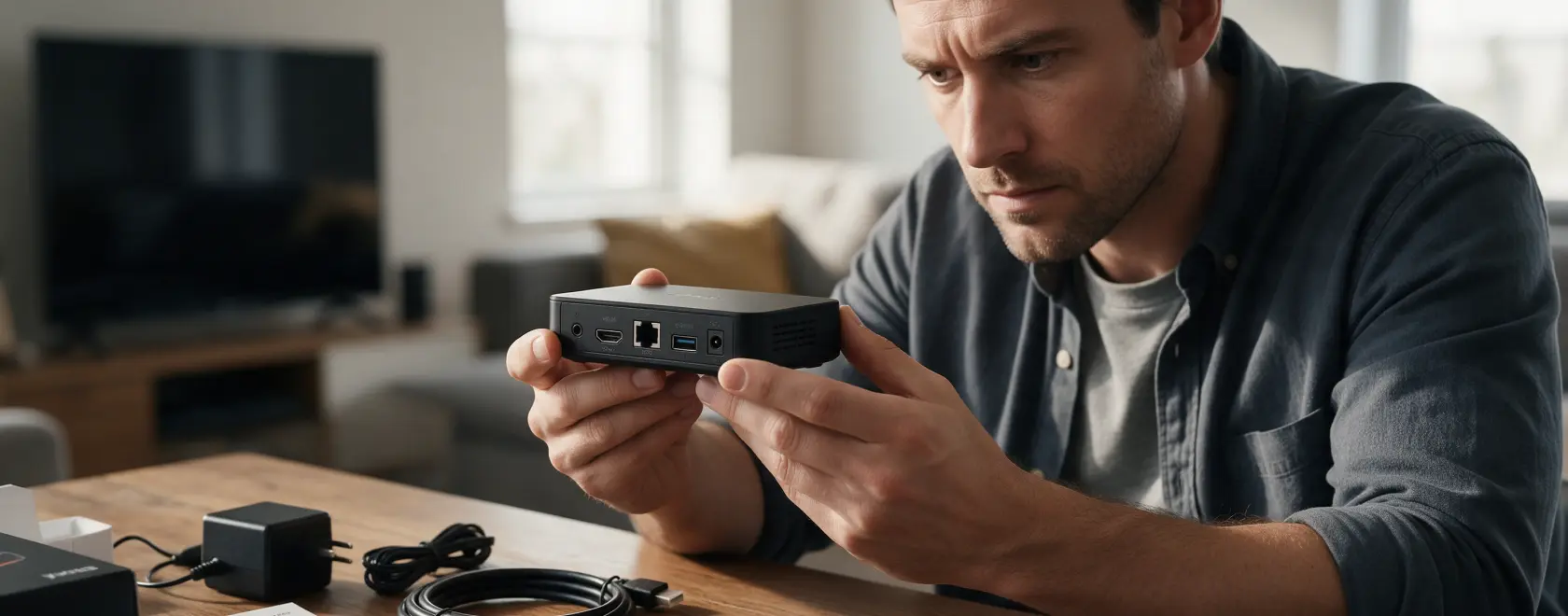
Buying a used IPTV box can be a good way to save money, especially if you need an additional set-top box for a second TV or the model you want is no longer available new. However, the savings only make sense if the device is fully functional, is not locked to an operator, and continues to receive the necessary software support.
A second-hand set-top box that looks good on the outside is not necessarily problem-free. It may have issues with storage, Wi-Fi, HDMI, power, or overheating. Sometimes the hardware itself works properly, but the device is tied to a particular operator or runs outdated firmware. Let’s look at what you can check yourself before buying and which warning signs should make you reconsider the purchase.
How to Check a Used IPTV Box Before Buying
The safest option is to buy a device from a seller that allows you to test it before payment or return it if a fault is discovered. This could be a refurbished electronics store, a seller with clear return terms, or a marketplace with buyer protection. Buying from a private owner is also possible, but ideally you should meet in person and switch the device on before paying.
Be more cautious with listings that have no real photos, an unusually low price, or descriptions such as “unable to test, sold as is.” If the seller refuses to demonstrate that the box boots, show the system information, or provide the serial number, the risk is considerably higher.
Before meeting the seller, ask for the exact model name, photos of the case and ports, the serial number, and a photo of the system information screen. Find out how many years the device has been used, whether it has ever been repaired, whether third-party firmware has been installed, and why it is being sold. This information will help you determine whether the device matches the seller’s description.
Main Risks of Buying a Second-Hand Set-Top Box
One of the main risks of buying a used set top box is not knowing how it was previously used. The device may have operated around the clock for years, overheated inside a closed TV cabinet, or been powered by an unsuitable adapter. This type of wear can be difficult to identify from appearance alone.
There may also be software-related restrictions. The device could have an operator lock that limits it to a specific service. Older models may stop receiving firmware updates, while newer versions of apps may no longer support the installed operating system. For this reason, always check device compatibility with your IPTV service and the applications you intend to use before buying.
The previous owner’s accounts are another important consideration. Personal data should be removed and the device reset before it is sold. When buying a used Android TV box, make sure that after an Android TV box factory reset, the device can be activated with a new account and does not ask for the previous owner’s credentials.
Signs of a Problematic IPTV Box
Some set top box problems become apparent within the first few minutes of testing. The device should not restart unexpectedly, freeze during normal navigation, or repeatedly lose its HDMI signal. The interface should respond to commands without constant long delays.
Pay attention to the temperature of the case as well. Some heat during operation is normal, but serious Android TV box overheating followed by freezing, restarts, or reduced performance is a good reason to walk away from the purchase.
Damaged ports, signs that the case has been opened, cracks, the smell of overheated electronics, unstable power, or unusual noise from the power adapter are also warning signs. If the set top box not working properly is already evident while you are testing it with the seller, do not assume that it has only a minor fault that will be easy to repair.
How to Test a Used Set-Top Box
Do not limit the test to simply looking at the home screen. Allow at least 15–20 minutes for a proper check. Connect the set-top box to a TV via HDMI, start it several times, and test video playback. Then check Wi-Fi and, if the device has an Ethernet port, test the wired connection as well.
Check the USB ports, Bluetooth, remote control, and audio separately. If the model supports 4K, try playing suitable content and confirm that it actually operates in the advertised mode. Your device diagnostics should also include switching between several applications. Problems with storage or memory sometimes become noticeable only when the device is under load.
If an Android TV box not working correctly is one of the issues you encounter, do not immediately assume that an app is responsible. Start with basic Android TV box troubleshooting: restart the device and check the network connection, available storage, and system settings. However, you should not perform a complete factory reset before purchase without the owner’s permission.
Check Firmware and Software Support
Open the system information and compare the device model, memory capacity, operating system version, and firmware version with the manufacturer’s specifications. This can help identify cases where the enclosure or model name shown in the listing does not match the actual hardware revision.
Next, visit the manufacturer’s official website and check whether the model is still supported and whether firmware updates are available. This is particularly important for Android TV and Google TV devices, where the ability to install the apps you need may matter more than the age of the hardware itself.
Do not install unknown firmware simply because the seller claims it is “faster than the original.” Modified software can interfere with updates, affect DRM functionality, or cause stability problems.
What to Ask the Seller For
Ideally, the original power adapter, remote control, and required cables should be included with the device. The box and documentation are not essential for operation, but they are useful: the packaging often contains the exact model name, serial number, and other information that can be compared with the device itself.
Check the power adapter particularly carefully. An unsuitable adapter can cause restarts and unstable operation that may easily be mistaken for a fault in the set-top box.
If the seller claims a particular amount of memory, 4K support, a certain Wi-Fi standard, or another specification, do not rely solely on the listing. Verify the information in the system menu and against the manufacturer’s official specifications.
What You Cannot Fully Check Yourself
A home test can reveal most obvious faults, but it cannot provide a complete picture of the device’s hardware condition. Without opening the case and using diagnostic equipment, it is difficult to assess the condition of power components, solder joints, internal storage, or the consequences of previous repairs.
For this reason, be especially careful when considering a device that has been repaired or has an unknown history. If you are buying an expensive model, it may be worth asking a service center to inspect it before purchase, particularly if the seller mentions previous power, overheating, or boot issues.
What to Do If Problems Appear After Purchase
Start by ruling out simple causes: the HDMI cable, power adapter, internet connection, and application errors. Restarting the device or performing a standard factory reset can sometimes resolve software problems, but save any necessary settings before resetting it.
If the device does not boot, restarts constantly, cannot detect its storage, overheats severely, or repeatedly loses the picture, contact an authorized service center or a technician experienced with this type of set-top box. Attempting to reflash or disassemble the device without the necessary experience may only make the repair more difficult.
Before authorizing a repair, ask how much it will cost. For an older budget model, replacing the board or internal storage may not make financial sense: buying another working device can sometimes be cheaper.
Checklist Before Buying a Used IPTV Set-Top Box
Before paying, check the essentials:
- the exact model, serial number, and whether the specifications match the manufacturer’s official information
- absence of an operator lock and compatibility with your IPTV service
- system boot, HDMI, Wi-Fi/Ethernet, USB, Bluetooth, audio, and remote control
- stable video playback for at least 15–20 minutes without freezing or unexpected restarts
- absence of excessive heat and physical damage
- operating system and firmware version, as well as the availability of official software support
- ability to perform a factory reset and configure the device with a new account
- presence of a suitable power adapter, remote control, and required cables
- repair history, reason for sale, and, if possible, proof of purchase
A used IPTV box can be a cost-effective purchase if price is not your only criterion. Checking the device’s history, hardware condition, software support, and compatibility takes little time but can prevent you from buying a box that needs repairs within days or turns out to be tied to someone else’s service. The less information the seller is willing to provide and the fewer opportunities you have to test the device before paying, the greater the risk — and the more sensible it is to look for another option.
