
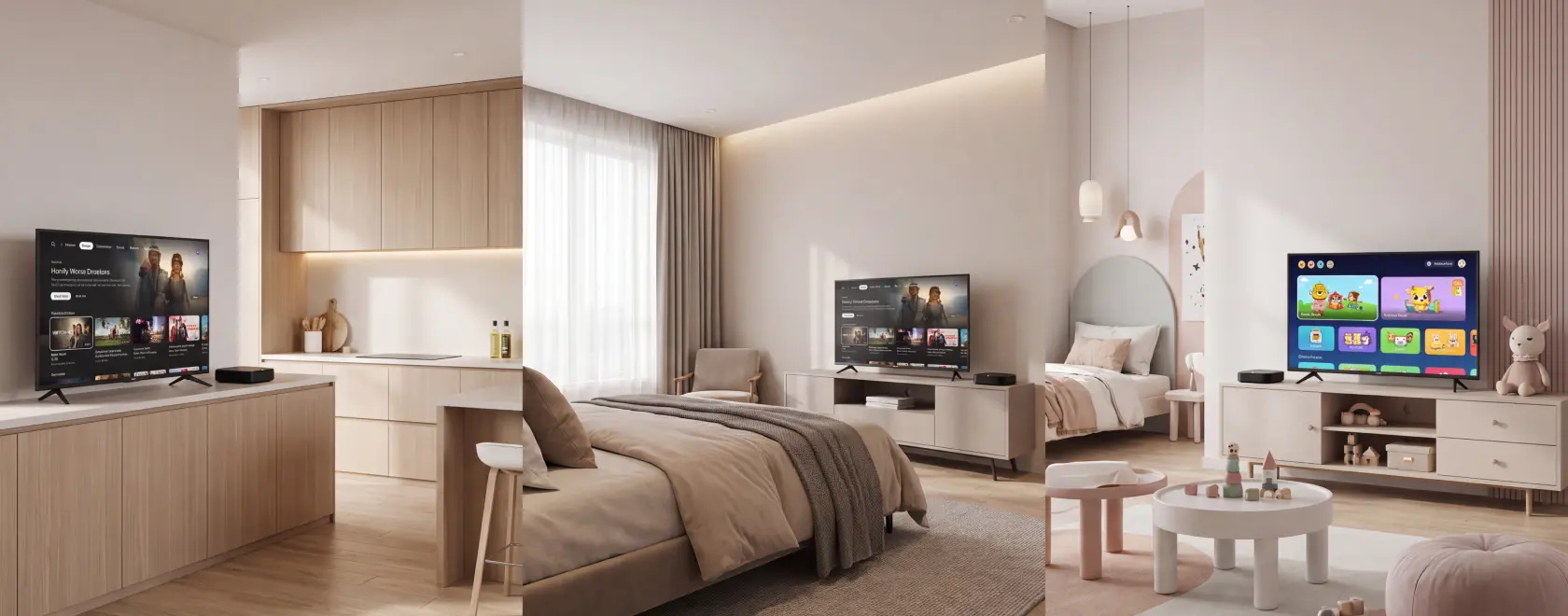
A media player can bring streaming apps and internet TV to almost any television with a compatible HDMI input. Yet the same device can feel convenient in one room and frustrating in another. Watching the news while preparing breakfast, enjoying a film in bed and choosing cartoons for a child involve different habits.
The best streaming device for each space depends on how you will use it. App compatibility comes first, but remote control design, audio options and parental settings can matter more than headline specifications. Here is how to choose a media player or IPTV set-top box around everyday viewing.
Start with Your Content, Then Choose the Platform
Before comparing processors or storage, establish what you want to watch. An IPTV set-top box configured for a provider’s service may suit households that mainly watch live channels through a programme guide. An app-based media player may be more practical when viewers regularly switch between streaming subscriptions, video platforms and internet TV.
These categories overlap, so check the exact model rather than relying on its name. Ask whether your IPTV provider supports the device and whether your preferred streaming services offer official apps for its platform in your country. Installing an app does not automatically guarantee full functionality or the highest picture quality.
A “4K” label describes an output capability, not a promise that every service will play in 4K. The content, subscription, app and television must also support it. Google’s streaming device requirements, for example, specify HDCP 2.2 compatibility for 4K playback. Match the player to the whole setup before paying for features you cannot use.
A Kitchen Media Player Should Make Short Sessions Easy
Kitchen viewing often happens in brief intervals. You turn on a news channel over breakfast, follow a recipe or listen to a programme while cooking. Here, a straightforward route to familiar content is especially useful. Look for an interface with easy access to favourite channels or apps and a remote with clearly separated navigation and volume buttons.
Consider how the remote will work in the intended position. Infrared controls generally need a clear path to the receiver, which can be inconvenient if the player sits behind the television. A Bluetooth remote can offer more flexibility, although TV power and volume controls may still depend on infrared or HDMI-CEC. Check those functions separately.
Placement deserves attention in a kitchen. Keep the device and its power supply away from splashes, steam and direct heat, and leave ventilation openings clear. Use the power arrangement specified by the manufacturer; do not assume a television’s USB port can reliably power any streaming device.
For a small Full HD television used mainly for daytime channels, 4K output may offer little immediate benefit. Easy navigation and readable menus can make a greater difference. If you watch from across the room, check whether channel names, subtitles and programme information remain comfortable to read.
A Bedroom Streaming Device Should Support Quiet Viewing
In a bedroom, small distractions become more noticeable. A bright status light, awkward remote or noisy cooling fan can interrupt an otherwise comfortable setup. Check whether the player uses fanless cooling and whether its indicator can be dimmed or disabled. Product photographs alone rarely answer these questions.
Private listening is another useful selection criterion. If you plan to use wireless headphones, confirm that the device supports Bluetooth audio output. Bluetooth support for a remote does not necessarily establish headphone compatibility. Also check whether headphones connect more conveniently to the television, particularly if you use several video sources.
Audio delay can become apparent during dialogue, so test lip-sync with your intended headphones and apps while the retailer’s return period is still open. Where available, audio synchronisation settings may help, but results depend on the complete playback chain.
Think about how viewing ends, too. A sleep timer may belong to the television rather than the media player, and switching off the display does not always stop playback on the connected device. Check automatic standby behaviour and disable autoplay inside the services you use if you prefer each episode to end without another starting.
A Media Player for a Kids’ Room Needs Practical Controls
For a television in a child’s room, start with access management. A colourful interface or a dedicated cartoon app does not tell you whether a child can open other applications, switch profiles or make purchases. Examine how the platform handles those actions before comparing entertainment features.
On supported Google TV devices, kids profiles let parents choose accessible apps and configure daily viewing limits and downtime. Availability and behaviour should be checked for the particular device and account setup. These controls provide a useful starting point for a viewing routine.
Device settings and streaming service settings serve different purposes. An approved app can still contain material intended for older viewers. Configure age restrictions within each service, protect adult profiles where possible and check purchase authentication separately. Then test the setup from the child’s profile, including attempts to exit it.
A simple physical remote also helps children navigate without borrowing a parent’s phone. Choose a layout they can understand and place the player securely, with cables routed away from walking areas. The aim is a predictable experience that requires fewer interventions during an agreed viewing session.
Check the Connection in the Room Where You Will Watch
A fast internet plan does not guarantee reliable playback throughout the home. Test the connection near the intended television, particularly if walls or furniture separate it from the router. A speed test beside the router says little about reception behind a bedroom screen.
Ethernet is worth considering where a cable is practical. For Wi-Fi, assess performance in the actual position before deciding that a more expensive player will solve buffering. Also check your subscriptions’ simultaneous viewing limits: adding devices does not automatically increase the number of streams your household can watch.
A kitchen media player should make short sessions effortless. A bedroom device should support quiet, comfortable viewing. A player for a kids’ room should provide controls that parents can configure and verify. Confirm content compatibility first, then choose the features that serve the room’s routine. That is a more useful basis for buying than specifications alone.
